

Product
Contact us

Sales manager:Tom Zhan
Tel:+0086 13632658537
Skype: zxp94520181
Whatsapp :+86 13632658537
Wechat: zxp94520181
Email:tom.zhan@primeda-telecom.com
www.primeda-telecom.com
HDMI to Fiber Extender
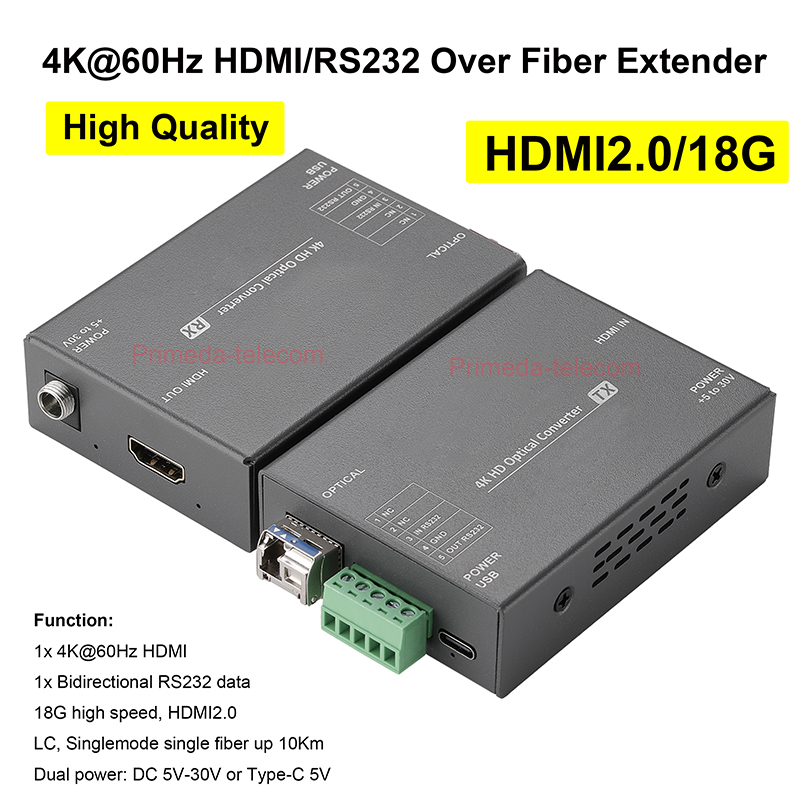

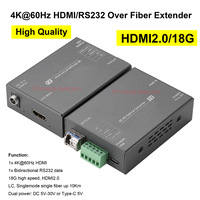
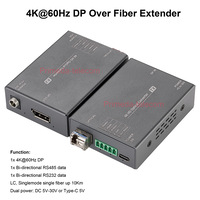
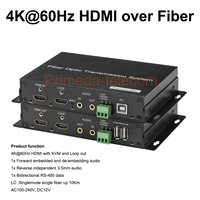

4K@60Hz HDMI Over Fiber Optic Extender 18Gbps High Speed with RS232 SFP LC Singlemode 10Km
PMD-4KHDMI-60Hz-RS232-LC-10Km
The 4K HDMI Video over Fiber Converter can transmit 1 channel of 4K@60Hz HDMI video and 1 channel of bi-directional RS232 data through an optical fiber, realizing lossless transmission, no delay transmission distance up to 10Km.
Function:
1x 4K@60Hz HDMI
1x Bi-directional RS232 data
18G high speed, HDMI2.0
LC, Singlemode single fiber up 10Km
Dual power: DC 5V-30V or Type-C 5V
Attention:
Overview1x 4K@60Hz HDMI
1x Bi-directional RS232 data
18G high speed, HDMI2.0
LC, Singlemode single fiber up 10Km
Dual power: DC 5V-30V or Type-C 5V
Attention:
Our company's HDMI Fiber converter (PMD-4KHDMI-60Hz-RS232-LC-10Km) and DP fiber converter ( Search "PMD-4KDP-60Hz-2D-LC-10Km" in our store) can support interconnection (such as DP transmission, HDMI reception, or HDMI transmission, DP reception)
The 4K HDMI Video over Fiber Converter can transmit 1 channel of 4K@60Hz HDMI video and 1 channel of bi-directional RS232 data through an optical fiber, realizing lossless transmission, no delay transmission distance up to 10Km.
The device has a wide voltage power supply design of 5–30 V and provides two power supply modes: DC 5.5*2.1 and a USB Type-C interface. This makes it more flexible and convenient for use in various scenarios.
Its optical modules and core circuits utilize components from top manufacturers, with multi-layer board design ensuring reliable and stable circuitry and strong anti-interference capabilities. Easy to install and debug, maintenance-free, and designed for a wide temperature range. Utilizing fiber optics as the transmission medium ensures superior performance, high-temperature and extreme cold resistant. It effectively prevents interference from strong electromagnetic radiation, lightning strikes, and power surges, significantly enhancing stability and reliability.
Feature :
1. Uncompressed 4K@60Hz with Zero Latency: Supports HDMI 2.0 and HDCP 2.2, for up to 4K@60Hz resolution with 18Gbps video bandwidth. delivers full-bandwidth, crystal-clear 4K video with zero latency—ideal for mission-critical AV applications
2. Long Distance Transmission: Transmit HDMI signals up to 10 km (32000 feet) over single-mode fiber or 300m (985 feet) over multi-mode fiber, perfect for large commercial and professional AV distribution setups. Each kit includes two 10G SFP+ (10 km) modules, allowing immediate deployment without additional purchases.
3. Video complies with HDMI 2.0 standards, supports HDCP 1.4/2.2/2.3 encryption to ensure content security.
4. Utilizing EDID pass-through mode ensures intelligent matching between display devices and source devices, avoiding display issues caused by parameter incompatibility (such as incorrect resolution or image distortion), enhancing compatibility and reliability.
5. Control Signal Pass-Through: Using pass-through technology to enable bidirectional RS232 signal transmission, allowing remote control of distant devices (such as camera PTZ and display menu). The device can select RS232/RS485 data; RS232 is the default configuration. For RS485 data, please contact sales personnel to customize the RS485 data before shipment
6. Plug-in SFP module : Supports hot-plug capability, miniaturization design, high flexibility, can replace the module with a multi-mode or longer-range module according to your actual needs. So cost-effective control and easy maintenance.
7. Multi-state indicator LEDs: Provide real-time feedback to help users quickly identify device status or potential issues.
8. Wide voltage DC 5V~30V design, and provides 2 interface power supply modes, DC5.5*2.1 and USB Type C, more flexible at using
9. Plug and play, no setting required.


Connecting Diagram

| Number | Indicator light description | Indicator light status |
| 1 | DC Power in port / Power indicator light | OFF:No power supply |
| ON:Power is connected | ||
| 2 | Video indicator light | OFF:No video signal source detected |
| ON:Video signal source identified | ||
| 3 | Fiber indicator light | OFF:Unconnected fiber or excessive attenuation |
| ON:Fiber Connect ok | ||
| 4 | Data indicator light | OFF:No data signal received |
| blinking:Data signal transmission | ||
| 5 | Type-C power in port/Power indicator light | OFF:No power supply |
| ON:Power is connected |
| Product Data Sheet Fiber Parameter |
||||||||
| Wavelength | 1310/1550nm | Rate | 10Gbps | Transmitter Power | >-3db | Receiver Sensitivity | >-10db | |
| Fiber Connector | LC | Transmission Distance | Single mode 10KM | |||||
| Video Parameter | ||||||||
| HDMI Standard | HDMI 2.0 | HDCP Agreement | 1.4/2.2/2.3 | Video Bandwidth | 18G | Resolution | 4K60Hz downward compatibility | |
| Color Space | RBG YUV444/422/420 | Maximum Pixel Clock | 594MHz | Effective Cable Length | ≤10M | |||
| Data Parameter | ||||||||
| Baud Rate | 0~115200Kbps | Data Bits | 8 digits | Operating Mode | Pass-through | Physical Interface | 5-pin phoenix terminal | |
| Power Parameter | ||||||||
| Power Supply Mode | DC 5.5*2.1/USB Type-C | Power Supply Voltage | 5~30V in | Overload Protection | Support | Power Dissipation | <2W | |
| Mechanical Parameter | ||||||||
| Material | Aluminum alloy | Size | 87.3*61.9*24mm | Net Weight/Pair | 0.3KG/Pair | Installation | Desktop/Can be fitted with 1/4 hot shoe | |
| Package | ||||||||
| Packing Material | Kraft paper | Packing Size | 277 x 219 x 54 mm | Gross Weight | 0.65Kg | |||
| Environment | ||||||||
| Working Temperature | -20°C~+70°C | Storage Temperature | -40°C ~85°C | Relative Humidity | From 5 to 95% (non-condensing) | Working Lifespan | >100000hrs | |
Packing list
| Number | Name | Unit | Quantity |
| 1 | Transmitter | pcs | 1 |
| 2 | Receiver | pcs | 1 |
| 3 | Video SFP module | pair | 1 |
| 4 | 5P industrial terminal interface 3.81mm | pcs | 2 |
| 5 | 12V1A, DC5.5*2.1 power adapter | pcs | 2 |
| 6 | User’s manual | pcs | 1 |
| 7 | Warranty card/certificate | pcs | 1 |
Attention
1.Lightning protection, static electricity, water proof,and grounding:
It is recommended that when install the device, consideration should be given to the impact of grounding by lightning, and take prevention measures. Strong static electricity will damage the optical device and data chip in the equipment. It is recommended that when plug/unplug the data port of the optical converter, please disconnect the power supply of the optical converter first.
2.Fiber and optical components:
Be careful when plugging the optical fiber as optical components of the optical converter is very fragile, and it should avoid causing damage to the optical components. It should be noted that the light source produced by the optical components of the optical converter will be harmful to eyes, so do not have direct eye contact with the optical components of optical converter. If you need to detect the optical power of the optical converter, please use the optical power meter.
3.Equipment and installation procedures:
(1)Optical fiber installation: please carefully insert the optical fiber into the optical fiber interface of the optical terminal after confirming that the optical fiber link meets the installation requirements.
(2)Equipment installation: The equipment can be distinguished between transmitter and receiver, and it is stated clearly on the label and printed on the chassis of the equipment.
(3)It is recommended to use a short fiber optic cable for the first time connecting test to ensure that all equipment functions are normal ,Then after that do long-distance transmission test
Troubleshooting
Power indicator is abnormal (POWER)
Answer: Check whether the power adapter meets the equipment requirements or the power adapter fails
Whether the socket is not tight or loose
Fiber indicator is abnormal (FIBER)
Answer: Check whether the optical fiber interface is loose and not plugged in
Check whether the optical fiber is too much attenuated
Video indicator is abnormal (VIDEO)
Answer: Check the signal source
Replace the video cable
Data indicator is abnormal (DATA)
Answer: Check the COM port, whether the baud rate is consistent
Check whether the serial port cable is connected backwards
.
- Online Service
-
